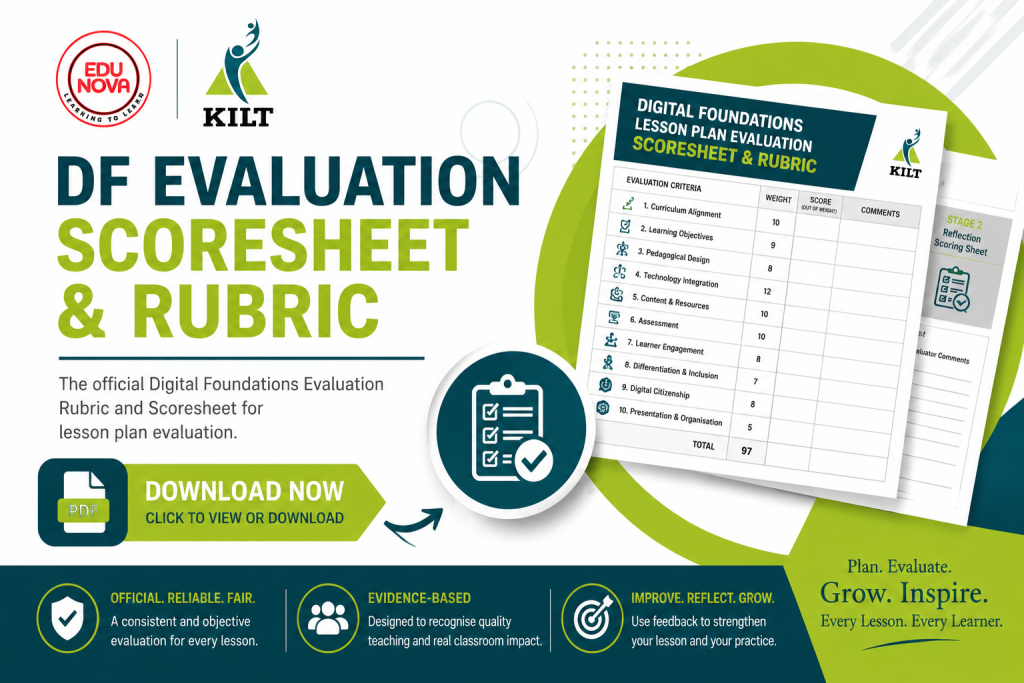
Use this official Digital Foundations Lesson Plan Evaluation to receive a consistent, evidence-based score and practical feedback on your lesson.
💡 Why This Process?
The Digital Foundations Evaluation Process has been developed, tested, refined, and validated to ensure a fair, consistent, and evidence-based evaluation process for all teachers' e-lesson plans.
The evaluation highlights your lesson's strengths, identifies areas for improvement, and provides practical recommendations before you submit your Portfolio of Evidence (POE)
'Don't aim for the highest score on your first attempt. Use the feedback to improve your lesson'
⭐ Two-Step Evaluation
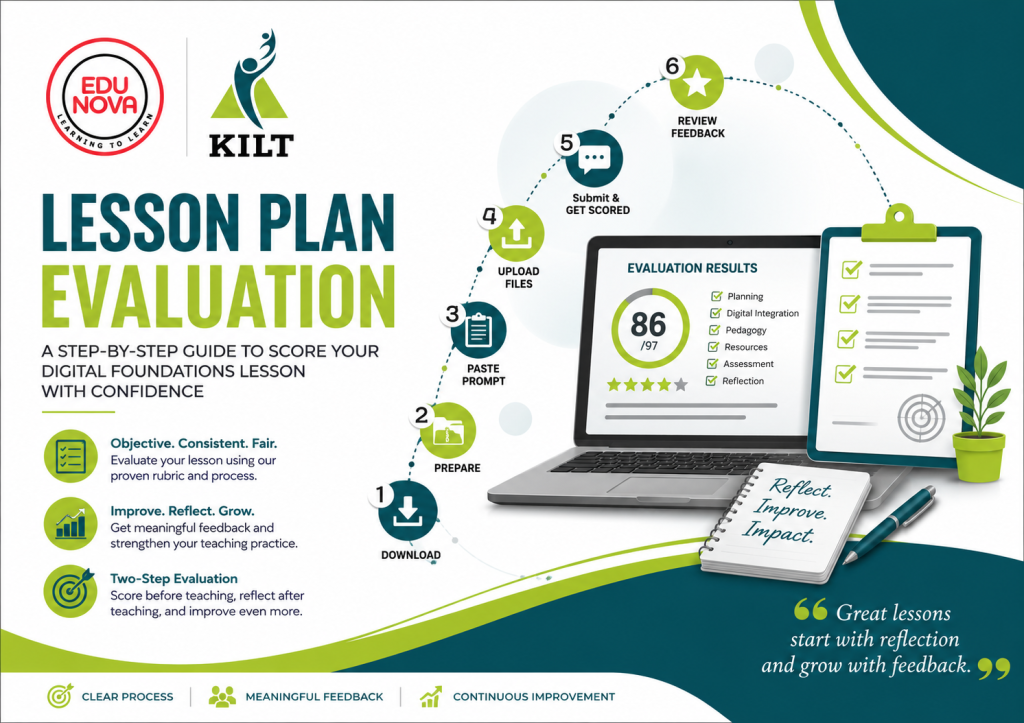
Your e-lesson will go through a Two-Step Evaluation process to ensure fairness and consistency. You can use Stage 1 as a way to ensure that your lesson is ready for implementation and Stage 2 to redo the evaluation after you have implemented the lesson and reflected on it.
Stage 1: Complete before teaching your e-lesson (97 Marks)
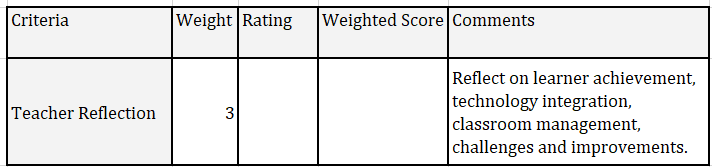
Stage 2: Complete after teaching your e-lesson (3 Marks) after the reflection on the integrated technology, lesson objectives reached or not, challenges experienced and improvements noted for future lessons.
This brings your final score to 100 marks.
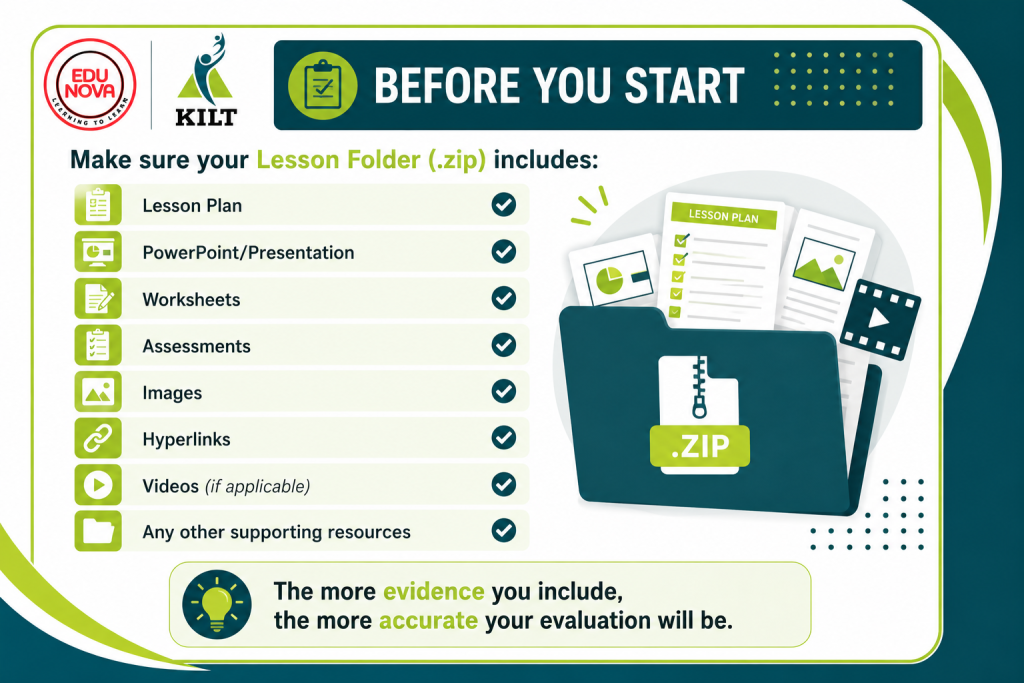
📌 Before You Start
Make sure your Lesson Folder (.zip) includes:
Lesson Plan
PowerPoint/Presentation
Worksheets
Assessments
Images
Hyperlinks
Videos (if applicable)
Any other supporting resources
The more evidence you include, the more accurate your evaluation will be.
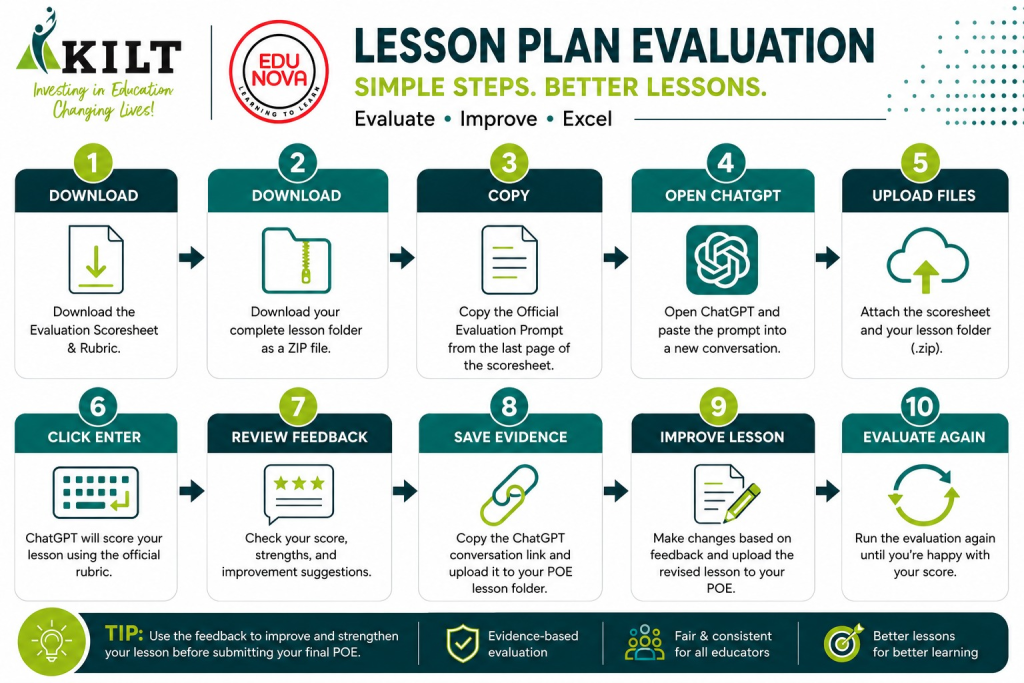
ChatGPT will evaluate your lesson using the official Digital Foundations Evaluation Scoresheet and Rubric and provide detailed feedback based on the evidence you submitted.
7️⃣ Review Your Feedback
You'll receive:
✅ Stage 1 Score (out of 97)
💬 Strengths
🔧 Improvement Suggestions
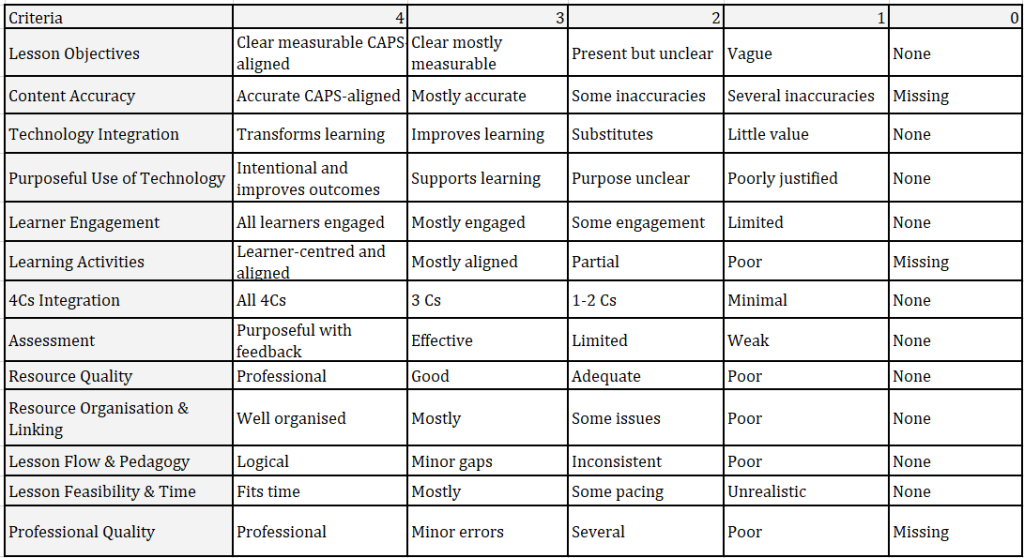
📊 Rubric Breakdown
8️⃣ Save Your Evidence
Copy the link to your ChatGPT evaluation conversation and upload it to the relevant section of your Lesson Plan POE folder as evidence of your evaluation. (paste it into your lesson plan for future reference)
9️⃣ Improve Your Lesson
Update your lesson using the feedback and upload the revised version to your POE.
🔟 Evaluate Again
Repeat the evaluation after making improvements until your lesson meets the Digital Foundations quality standard.
Official E-Lesson Evaluation Prompt (Version 1.0)
You are an experienced Digital Learning Coach and official moderator for the Digital Foundations Programme. (see klearning.co.za/2026/02/12/e-lessons-2026/). Your task is to evaluate a submitted e-Lesson using the Digital Foundations E-Lesson Evaluation Rubric attached. You must be objective, consistent, evidence-based, and fair.
Evaluation Rules
Evaluate only the evidence submitted.
Never assume something exists if it is not provided.
Do not award marks for implied evidence.
Score according to the rubric descriptors only.
Be consistent across all submissions.
Foundation Phase lessons should not be penalised for using appropriate technology rather than overly complex technology.
Printable resources (worksheets, flashcards, bingo cards, cut-outs, assessments, etc.) count as supporting resources and do not require hyperlinks.
Only evaluate hyperlinks when digital tools are intended to be accessed online or were created using an online tool.
Teacher Reflection is not scored during Stage 1 and must be marked N/A.
Judge whether the lesson can realistically be completed within the allocated lesson time.
Provide constructive feedback that is specific to the lesson.