


This year, our DF teachers (Digital Foundations) will be going back to basics. We will explore how you can easily and effectively integrate devices, apps, and tools into your classroom practice. So, let's start with a quick overview of the 2026 Programme.
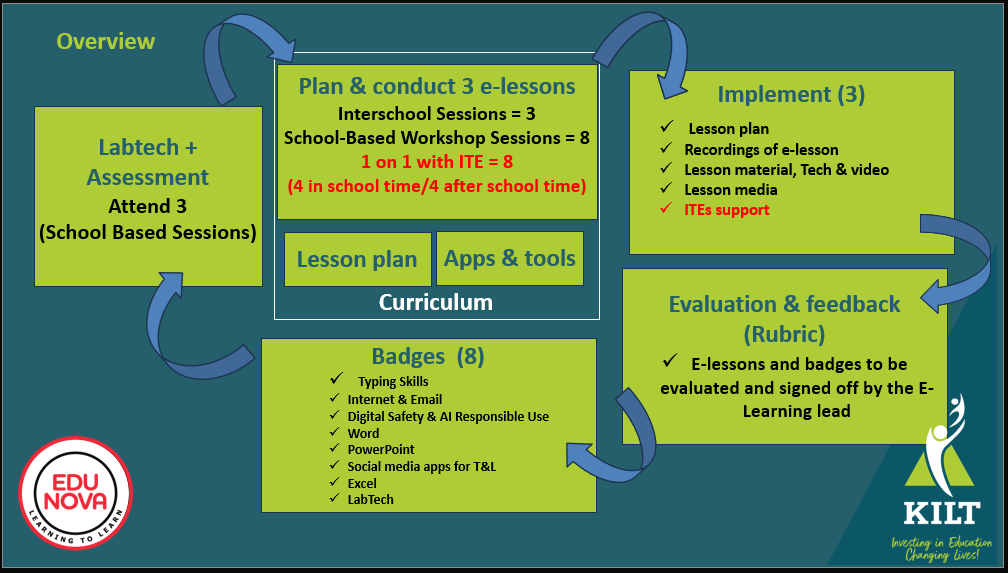
You need to do at least 3 e-lessons. It is better to get it done as soon as possible. You can always do extra ones as your e-confidence grows and you learn how to use more tools.
Criteria for e-lesson submission
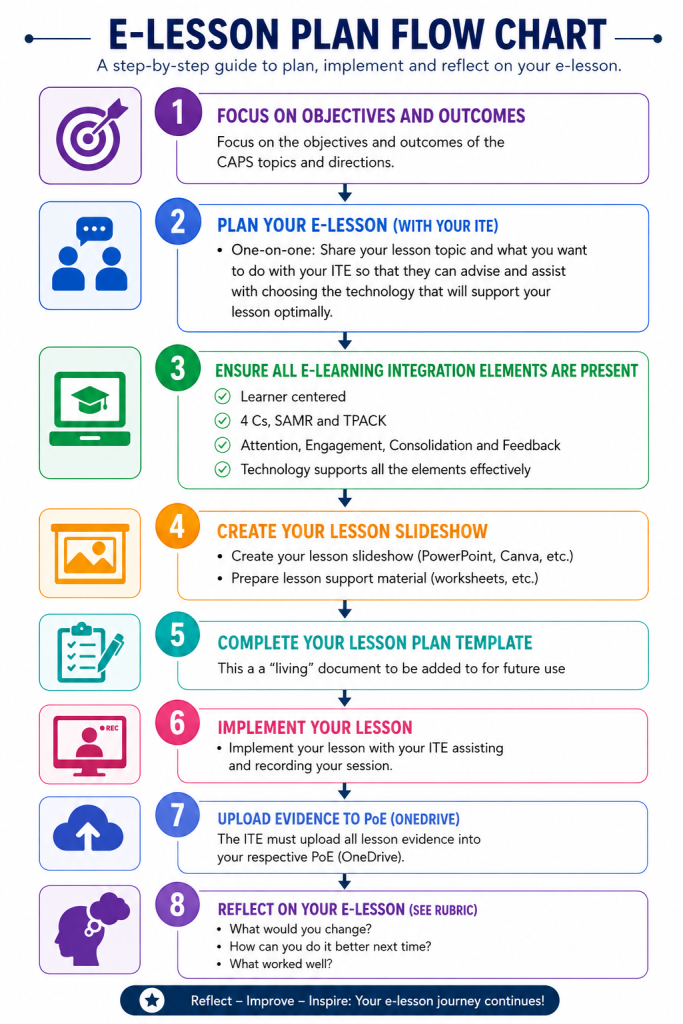
- Focus on the objectives and outcomes of the CAPS topics and directions
- Plan your e-lesson (with your ITE). Make sure that:
- One-on-one: Share your lesson topic and what you want to do with your ITE so that they can advise and assist with choosing the technology that will support your lesson optimally.
- All the e-Learning integration elements are present:
- Learner centered
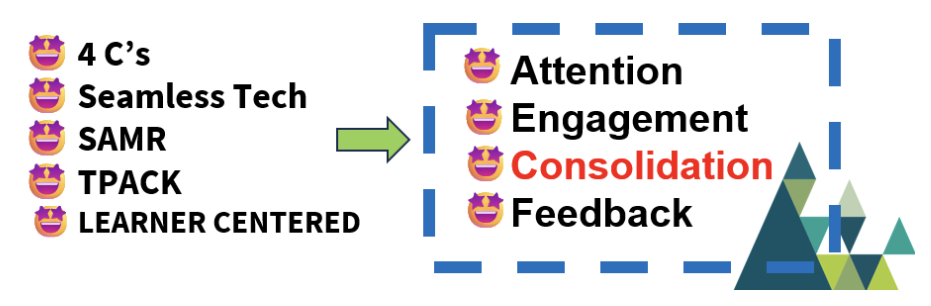
- 4 Cs, SAMR and TPACK
- Attention, Engagement, Consolidation and Feedback
- Technology supports all the elements effectively
- Complete your lesson plan template
- Create your lesson slideshow (PowerPoint Canva etc) and lesson support material (worksheets, etc)
- Implement your lesson with your ITE assisting and recording your session.
- The ITE must upload all lesson evidence into your respective PoE folder (OneDrive).
- Reflect on your e-lesson (see scoring sheet). What would you change? How can you do it better next time? What worked well.
How can I go about creating and implementing
my e-lesson plan?
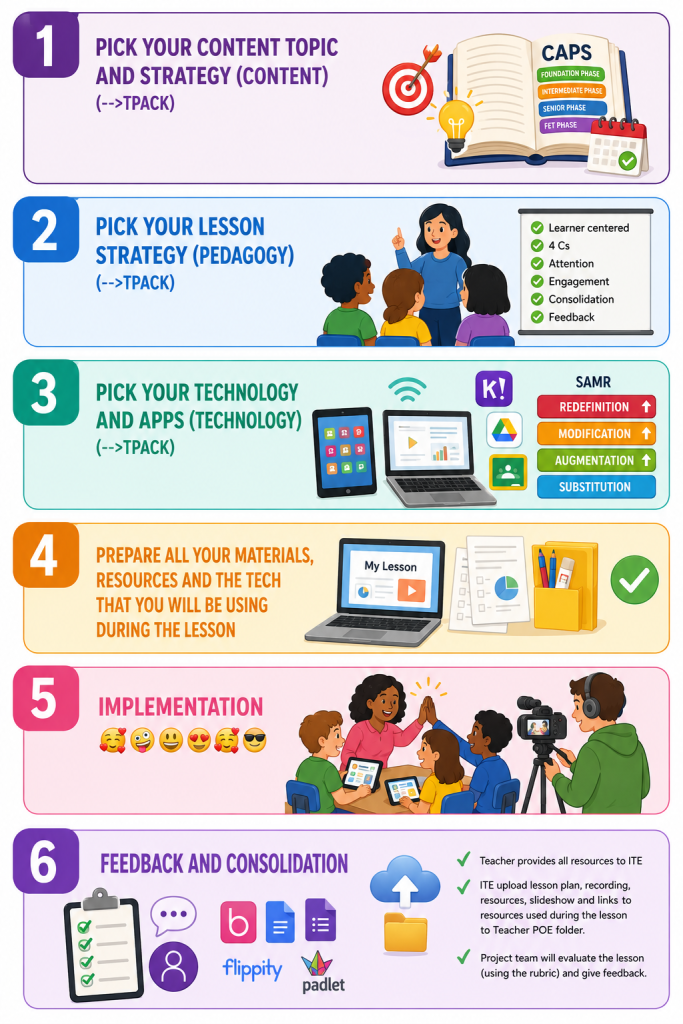
Step 1 Pick your content topic and strategy (CONTENT) (-->TPACK)
- Content: Start with your CAPS outcomes: What topic do you want the learners to engage with? Pick your topic and define your lesson objectives/outcomes*
- CAPS for the Foundation Phase
CAPS for Intermediate Phase
CAPS for Senior Phase
CAPS for the FET - Pick a lesson implementation date (NB--> commit) and let your ITE know when and what topic you will be teaching (so that they can go and research suitable tech and tools and book a tablet kit if needed)
- CAPS for the Foundation Phase
Step 2: Pick your lesson strategy (PEDAGOGY) (-->TPACK)
- What activities will you do with them pre/ during/ after the lesson, that will
- be Learner centered
- Incorporate the 4 Cs
- Focus their attention
- Keep them engaged
- Consolidate the content topic
- Provide feedback (assessment etc)
Step 3: Pick your technology and apps (TECHNOLOGY) (-->TPACK)
- What technology and apps can be used to effectively support the content and Pedagogy?
- TPACK- Will the tech that you choose effectively support the content (lesson outcomes) and pedagogy? Steps 1 to 3 = TPACK
- SAMR (see SAMR resources and more info)
- Substitution: you are using technology (data projector, tablets, ebooks, PowerPoint) instead of paper worksheets, chalkboard, etc.
- Augmentation: the technology adds extra benefits/makes it easier, faster, clearer, or more engaging.
- Modification: means the technology changes how the task is done in a significant way.
- Redefinition: the task could not have existed without technology. Learners create something or do something previously impossible.
- Now choose your apps that will fit in nicely with your activities and strategy and ask the ITE to load it onto the tablets
Step 4: Prepare all your materials, resources and the tech that you will be using during the lesson
- Create your slideshow (and do at least one voice-over video -Earn the PowerPoint and video badges)
- Create and print all your traditional materials needed as per usual (You can ask for help from your ITE)
- Revise your lesson plan to make sure that you are super prepared!
- Check with your ITE that the tech is ready and loaded!
Step 5: Implementation 🥰🤪😀😍🥰😎
- Have fun!
- ITEs take recording of lesson, photos and videos and support the technology
Step 6: Feedback and consolidation
- Revise your lesson plan, making sure you add all links to the e-tools that you used (Blookits, Google Docs, Forms, Flippity, Padlet)
- Add your reflection to your lesson plan (What worked did not, how can you do it better)
- Teacher provides all resources to ITE for upload
- ITE upload lesson plan, recording, resources. slideshow and links to resources used during the lesson to Teacher POE folder.
- Project team will evaluate the lesson (using our AI process) and give feedback.
Lesson plan resources
- CAPS documents.
- kLearning padlet resources
- Lesson planning resource padlet
- DF teacher sandpit (bit.ly/esandpit --> add your own resources)
- Frameworks: SAMR, TPACK, 4Cs and AI
- Lesson planning