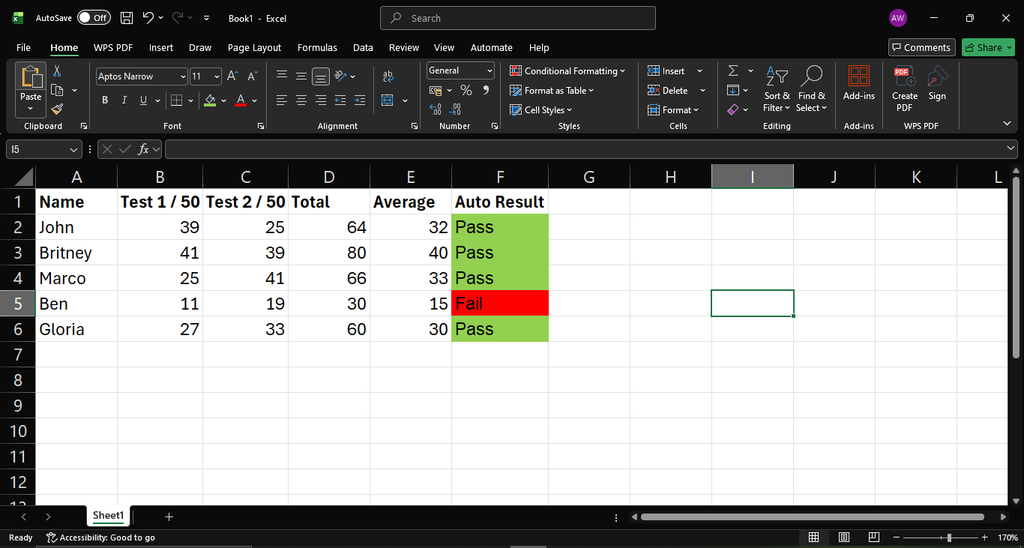


Activity 1: Mark Sheet
1. Open Excel
2. Create the following headings and BOLD them:
- Name (A1)
- Test 1 (B1)
- Test 2 (C1)
- Total (D1
- Average (E1)
Enter 3 - 5 learners names under the "Name" heading (Column A)
Under Test 1 and 2 put the following marks out of 50 (Column B and C)
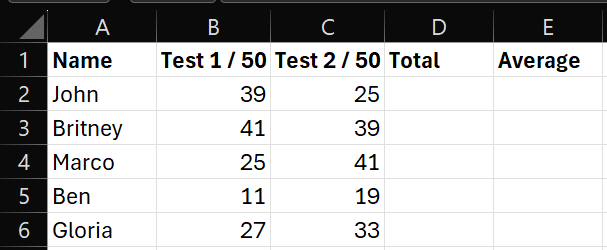
Add Test 1 and Test 2 together, to get the Total in column D

(If you filled in the first one, just drag down to autofill)
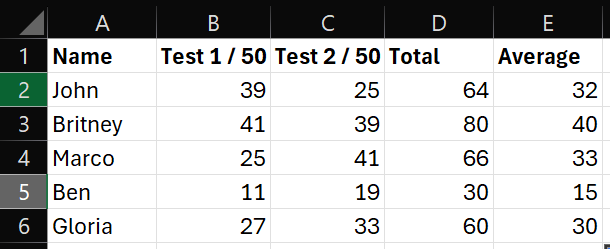
To calculate the Average (This is to combine them into a single, fair, and representative score that balances out the differences between the two values.)

This is how it must look when completed:
Activity 2: Auto Result
Your challenge is to make your sheet look like the one below by using the following formula:

Final Sheet