

Teaching in the 21st century comes with many challenges: planning lessons, creating assessments, supporting diverse learners, and keeping up with curriculum requirements. What if you could have a tool that streamlines planning, generates teaching resources, and supports your learners, all in one place?
Introducing Notebook LM
What is Notebook LM?
Notebook LM is an AI tool that works directly with your own documents. Upload ATPs, worksheets, notes, or textbooks, and Notebook LM can:
- Summarise content for quick understanding
- Generate quizzes, comprehension questions, and rubrics
- Create lesson plan outlines
- Support differentiated instruction and study guides
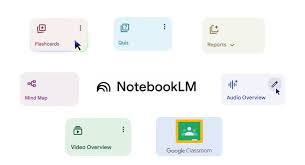
Key Features of Notebook LM
- Document Summarisation
- Resource Creation
- Differentiation Support
- E-Learning Integration
- Time-Saving Productivity
Why Teachers Will Love It
Reduces workload and planning stress
Supports CAPS alligned- teaching
Helps create meaningful,interactive learning experiences
Encourages creativity and differentiated instruction
Step-by-step: Register & complete the Notebook LM activity during the workshop
Open your web browser on Notebook LM
Sign in to your Google / school account.
Open Notebook LM from your Google apps menu or from the link provided by the workshop facilitator.
If you can’t find it, ask the facilitator for the direct link.
Click Create new notebook
Create a new notebook & name it
Give the notebook a clear name, e.g.,:Grade 6 Numeric Patterns — Term 3 (YourName)
Optionally add a short description: “Workshop demo — summarise and quiz.”
Upload the document you prepared
Click Upload or Add files inside the notebook.
Choose your file (PDF, Word, or Google Doc).
Wait for the file to finish uploading — you should see the file listed in the notebook.

Ask Notebook LM to summarise the document
- Click into the notebook’s question/input box.
- Type a clear prompt, for example:
Summarise this document into 5 teacher-friendly bullet points suitable for a 30-minute Grade 6 lesson. - Press Enter / Send.
- Read the generated summary and copy/save any parts you like.
More tutorials on how Notebook LM works