

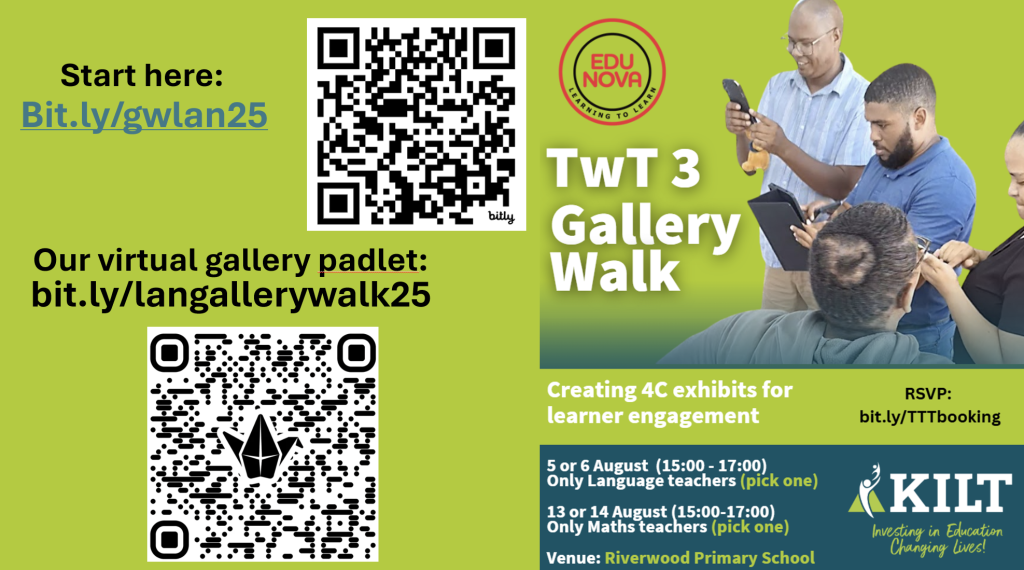
Agenda:

- Welcome and Introduction to the gallery Padlet board
- Exhibit 1 My greatest fear💀
- Exhibit 2 The lion and the mouse
- Exhibit 3 P(doom)💀 or P(boom)
- Exhibit 4 Fast stories
- Exhibit 5 Idioms for idiots
- Exhibit 6 Spaced out
- Exhibit 7 Over to you!
Before we start...... some tools that we can play with
It is never about the tools- it is about the learning and being DIeP. So, if we want to create a Diep e-lesson in the language class, let's investigate some Diep tools from no tech to low tech to high tech. To bring tech into our classroom we will put some excitement into the e of our e-lesson!
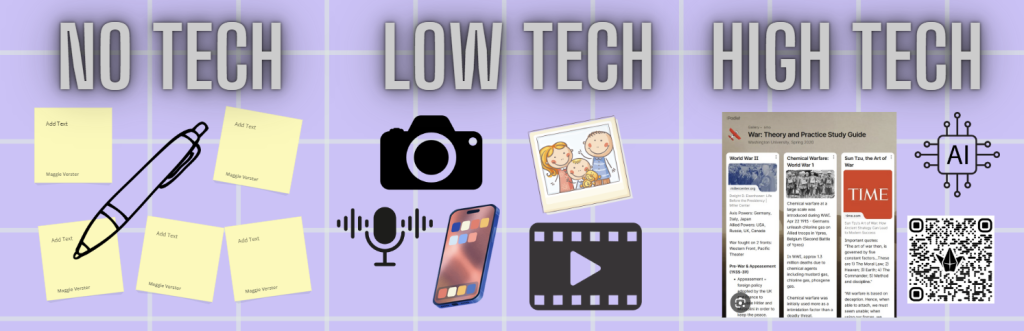
| ATPS | NO tech | Low tech (NI) | High tech (I+) |
|---|---|---|---|
| Listen and talk | Teacher talking Learners talking | Video recorder Audio recorder | Padlet, Whatsapp QR codes, AI |
| Read and look | Paper /sticky notes | Word, PDF, photos. screenshots | Book creator, Wakelet, Chatgpt, TikTok, instagram etc |
| Write and present | Paper/ stand and talk | PowerPoint, Word, PDF | Canva, Padlet, Wakelet, Google/1drive shared docs, tiktok |
| Language structure and conventions | Paper puzzles, word searches, asking questions | Create Puzzles and quizzes, the old fashion way using Word and PowePoint | Simulations, Puzzle maker, Flippity, Padlet, AI, QR codes, Wayground etc |
| Assessment | Paper tests and exams, essays, Paper based portfolios | Plickers, Powepoint, Word, | Wayground, Blooket, kahoot, Flippity games, |
Once you have entered the padlet, change your Padlet name to your own name by clicking on the round icon at the top right of your screen.


Exhibit 1: My greatest fear💀

- Your first exhibit is completely virtual.
(click on this link) - Go to the first exhibit and read as well as follow the instructions. carefully
- Add a photo/drawing/picture of your greatest fear (you can even create it with AI)
- Leanardo.ai, Canva or use the Ai creator in padlet comments or chatgpt.
- Add it to the padlet by clicking on the + don't say anything. Just the photo/picture.
- The other attendees will then go and comment
- Let your team guess your fear.
- Make at least one comment using a voice comment, (What, Why, How..)
- At least one comment or question using text comments.
- Makes sure that all fears are addressed!! (e.g go and make sure that each person have at least one comment.
- What was the aim of this exhibit?
- Complete the scorecard for Exhibit 1 as a team
Exhibit 2: The lion and the mouse
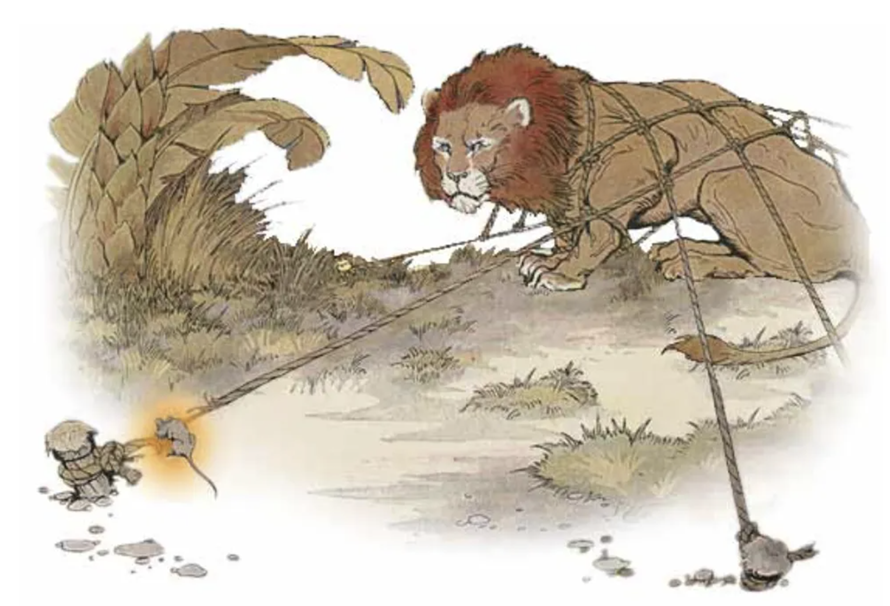
Team Instructions:
- Go to Exhibit 2 on your Padlet sharing board here: bit.ly/lanex2
- Complete the vocabulary puzzle working as a team. Explain the words to each other when you figure it out. (You will be tested later🤗)
- You may even use AI to guide you in finding the words if you want.
- Write the answers in with the water pen marker and take a picture of the completed puzzle. Take a picture of your team with your completed puzzle. Well done!
or - Do it online using the interactive puzzle (post screenshot and team picture)
- Remember to clean your pen puzzle for the next group.
Thinking questions: Answer on sticky paper and on the padlet.
- What was the moral of the story, and how does it relate to our world today? Sticky & post it in the Exhibit 2 breakout padlet
- What questions can we ask the learners that will make them think deeply about the story? How can we use Blooms to frame our questions (Describe, Evaluate, judge, Explain...)
- How can we adapt or change this exhibit for our gallery walk diep lesson?
- Complete the scorecard for Exhibit 2
Exhibit 3: P(doom)💀

Team Instructions:
- Upload all proof and discussions to the Exhibit 3 breakout room (bit.ly/lanexhibit3)
- Divide the exhibit (Project display) among yourselves to save time. You have about max 10 mins to complete this - you can always go back later)
- Each team member must draw their p(doom) level (low tech and scan/photo) or high tech using AI in exhibit comments (or any drawing app on the tablet/cellphone) and upload
- Discuss the pros and cons of AI (using stickies) and record + upload a short video (1 minute) of your team's P-level (doom or boom), if you can reach a consensus.
@dailymavericksa As record levels of power are handed to algorithms by a society eager to outsource its thinking, the conversation around AI is shifting. From soaring water and energy demands to cognitive overload, job disruption, and the erosion of shared truth, the hidden tolls of artificial intelligence are mounting. In this analysis, Daily Maverick’s Rebecca Davis talks about the urgent need to reckon with AI’s dark side before it shapes a future we didn’t choose. Reporting by: Rebecca Davis Produced by: Emilie Gambade Edited by: Rufaro Chiswo Filmed by: Bernard Kotze & Joel Seboa Sub-edited by: Kevin Flynn #ai #openai #chatgpt ♬ original sound - Daily Maverick
Guiding questions and scorecard (stickies and online on our padlet exhibit 3)
- How can we improve this exhibit?
- Complete the scorecard for Exhibit 3
Exhibit 4: Fast stories

Instructions
- Upload all proof and discussions to the Exhibit 4 breakout room (bit.ly/lanex4)
- Create a collaborative story using the given picture.
- Decide on a phase or grade level, theme, context, etc. and allow each team member to contribute a part of the story (sentence, paragraph, ...)
- You can use stickies/paper, provided you take pictures and combine your story into a single post, with the rest of the story as comments on our exhibit 4. This will allow for more photo illustrations.
or - Make an audio recording of your story with a picture(s) and post to Exhibit 4 for comments.
- Add pictures to illustrate your story (time allowing).
- You can use stickies/paper, provided you take pictures and combine your story into a single post, with the rest of the story as comments on our exhibit 4. This will allow for more photo illustrations.
- Go and make comments on the other teams' stories.
- Create pictures to go with the stories ( AI or if you are good at drawing.... go for it)
Guiding questions and scorecard:
- Should we allow our learners to use AI to assist them in writing and illustrating a story, and how can we stop them from copying and pasting from AI?
- How can this exhibit be adapted for different age groups/ phases?
- What will make this exhibit more jaribaaa? Add some suggestions
- Complete the scorecard for Exhibit 4
Exhibit 5: Idioms for idiots
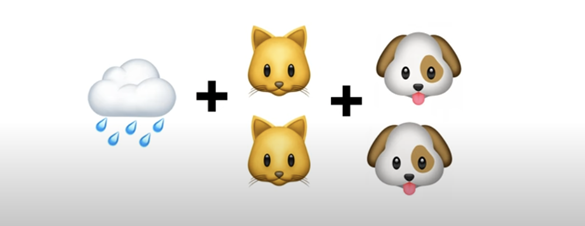
Instructions
- Upload all proof and discussions to the Exhibit 5 breakout room (bit.ly/lanex5)
- Discuss and explain what an idiom is as if I am an idiot🤣(add to sticky and to exhibit padlet)
- Who can get the most of the emoji idioms right? State the idiom and discuss what it means. Take a photo if you used stickies and remove your answers for the next team to solve.
- Create a video no longer than one minute with team members demonstrating 3 different idioms. Post on the exhibit Padlet board for the others to guess.
- Go and guess some idioms!
- Complete the scorecard for Exhibit 5 as a team
Guiding questions
- How can you improve this exhibit to make it dieper?
- HOw can we use Blooms taxonomy action words for critical thinking in creating Diep questions
- Complete the scorecard for Exhibit 5 as a team
Exhibit 6 Spaced out
Team instructions
- Upload all proof and discussions to the Exhibit 6 breakout room (bit.ly/lanex6) and add stickies to the wall exhibit (take a photo and post to padlet)
- Give different meanings for the word "space"
- Which language questions could you ask the learners about space?
- Interact with the simulation and predict when the sun, Earth, Venus, Mercury, and Mars, will be in a row. (not long from now)
- What would you tell the alien lifeform on Mars if you had to send a message into space?
Guiding questions
- What diep questions can we ask that will tie in with our various ATP requirements.
See Blooms taxonomy action words for critical thinking - How can we make this relevant to our language classroom and context?
- Complete the scorecard for Exhibit 6 as a team
Exhibit 7 Over to you!

Team instructions
- Brainstorm an exhibit for your team and present it in the Exhibit 7 breakout room.
- Add a photo, some instructions and some guiding questions.
Happy sheet
Please complete the happy sheet : bit.ly/TTThappy
Create your own Padlet and learn how to use it
Create your own Padlet account
- Scan the QR code and create an account for yourself on Padlet. Believe me you will love it!
- Disclaimer: By creating an account with our link or QR code you will have one extra padlet board added to your Padlet account and so will we. Thank you.
- Install the Padlet app on your phone for ease of use.
- Install the padlet extension on your browser (for later use- optional)